
Description
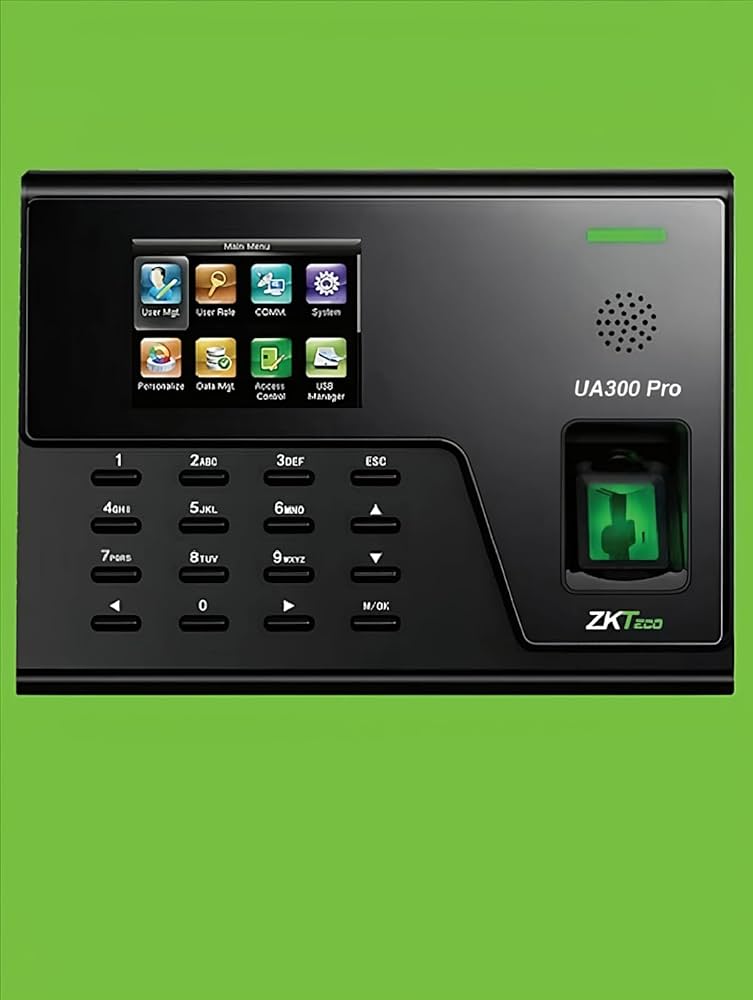
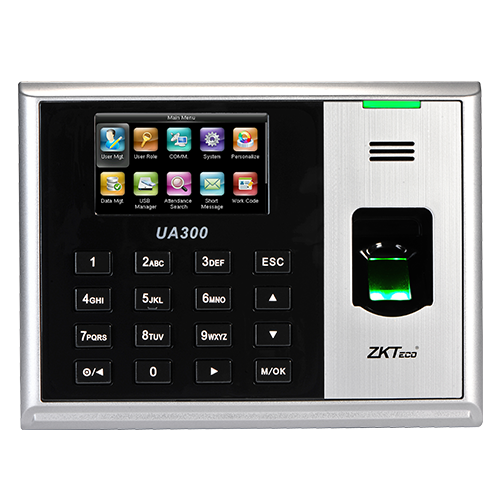
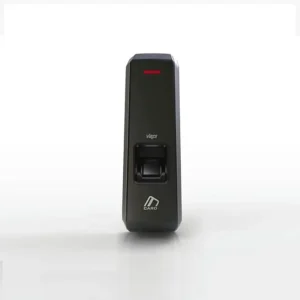
The ZKTeco UA300 Prois a top-tier biometric time attendance terminal built for reliability, scalability, and flexibility. With a robust firmware platform, ultra-fast matching, and networked management, UA300 ensures seamless workforce tracking in a wide variety of industries—from offices and factories to schools and retail outlets.
1- Key Highlights
-
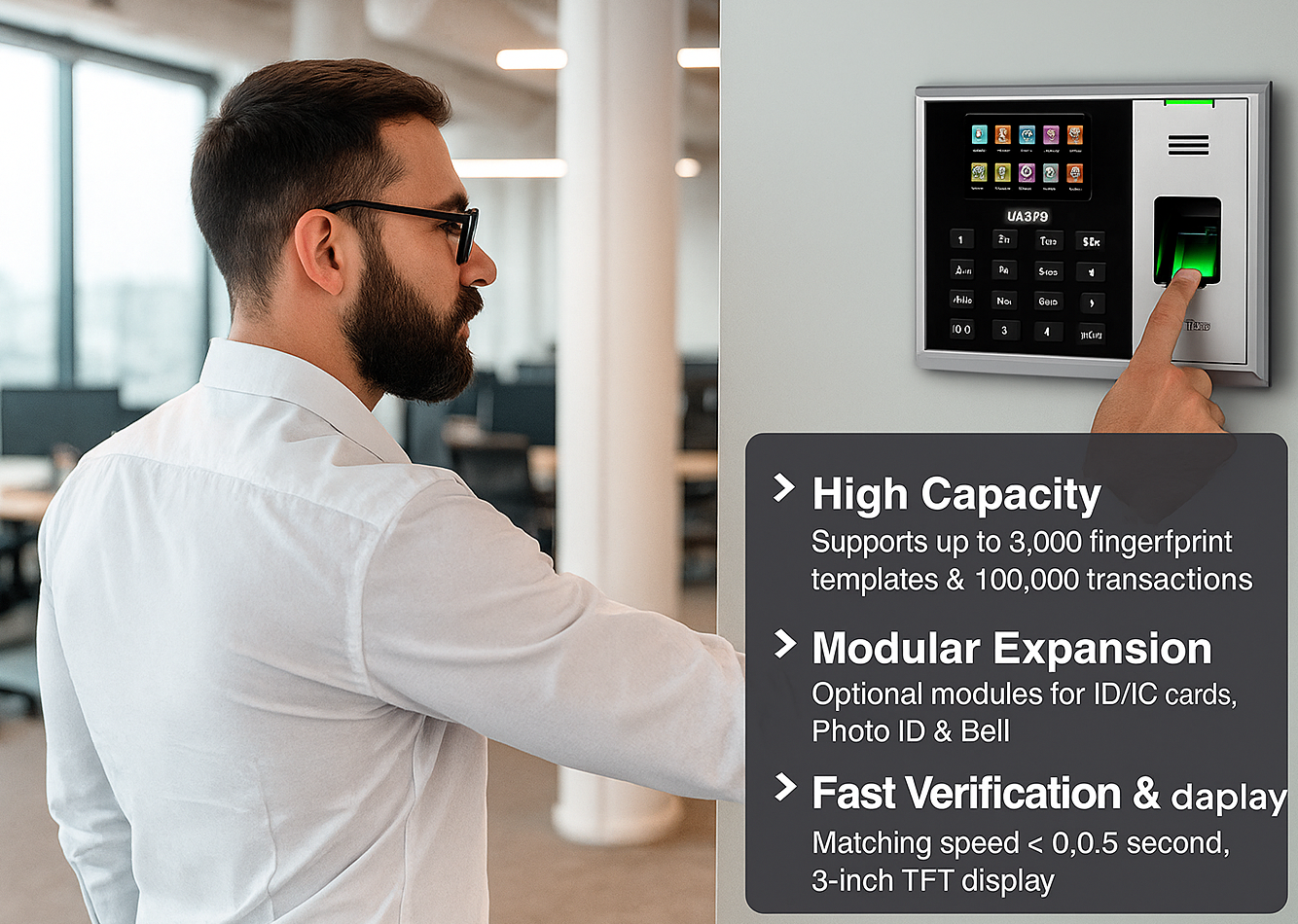
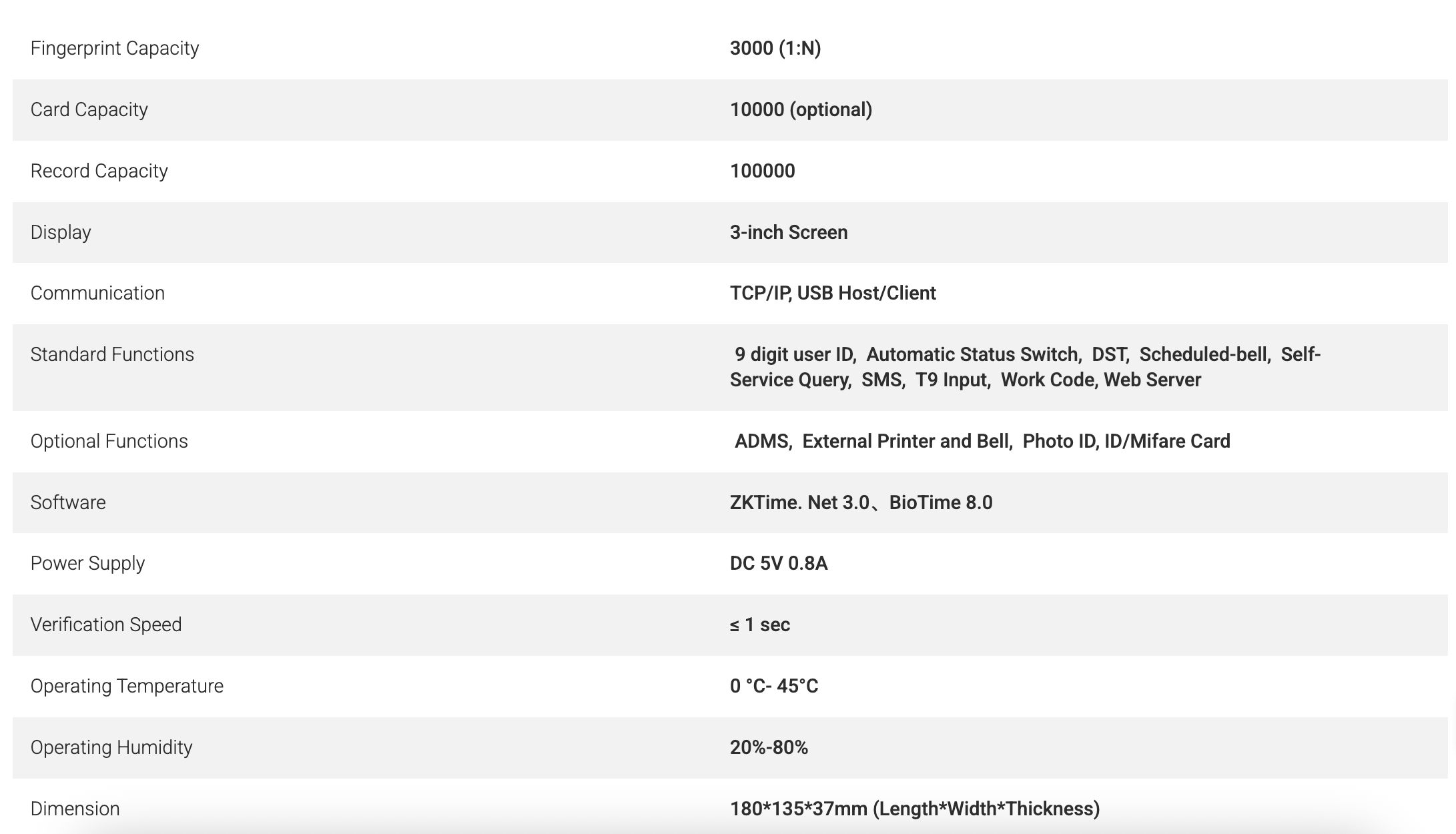
High capacity & scalable: Supports up to 3,000 fingerprint templates (1:N) and 100,000 transaction logs ZKTeco+2ZKTeco+2
-
Modular and expandable: Optional support for ID/IC/HID cards, external printer, bell, and photo ID modules ZKTeco+1
-
Flexible connectivity: Communicates via TCP/IP, RS232/485, USB Host/Client Tesla Engineering Services+2ZKTeco+2
-
Fast verification: Matching under 0.5 seconds (≤ 0.5 s) ZKTeco+2ZKTeco+2
-
Intuitive interface & backup: 3-inch TFT display, modular UI, data backup & retrieval to guard against accidental deletion Microless+3ZKTeco+3ZKTeco+3
-
Standard features: Work codes, DST, schedule bell, self-service query, SMS, 9-digit user IDs, T9 input, automatic status switch ZKTeco+3Tesla Engineering Services+3ZKTeco+3
-
Robust environment support: Operates in 0°C to 45°C and humidity 20%–80%
جهاز ZKTeco UA300 هو محطة حضور وقت بيومترية مصممة للمؤسسات ذات المتطلبات العالية من حيث الاعتمادية والتوسع والأمان. مثالي للشركات الكبرى والمصانع والمؤسسات التعليمية والمراكز الصحية، يدعم حتى 3000 قالب بصمة و 100,000 سجل تسجيل بدقة. يتضمّن اتصالات TCP/IP و RS-232/485 و USB (Host & Client) لتسهيل التوزيع الشبكي أو العمل بشكل مستقل. الوحدات الإضافية مثل بطاقة ID/IC، طابعة خارجية، هوية مصوّرة، وجرس تعزّز وظائف التحكم بالدخول والتقارير. مع سرعة مطابقة ≤ 0.5 ثانية، وتشغيل مستقر ضمن درجات حرارة 0-45 °C ورطوبة 20-80٪، يقدّم UA300 أداءً موثوقاً حتى في البيئات الصعبة. البرمجيات المدمجة تشمل جدول الجرس، رموز العمل، التوقيت الصيفي، تبديل الحالة التلقائي، الاستعلام الذاتي، ودعم النسخ الاحتياطي واستعادة البيانات.
2- Use Cases:
What are the best use cases for ZKTeco UA 300 Pro ?
| Segment | Use Case / Scenario |
| Corporate offices / SMEs | Automate staff clock ins/outs; integrate with payroll to eliminate “buddy punching.” |
| Factories / Warehouses | Rugged environment, networked terminals on floor, local USB fallback for offline logs. |
| Retail chains / branches | Central management via TCP/IP; remote terminal monitoring and backup. |
| Educational institutions | Staff and lab technician attendance; restrict lab access via optional card. |
| Healthcare / Clinics | Track shift changes, manage overtime, optional external printer for printouts of attendance. |
With UA300, you get a professional, secure, and future-proof attendance solution suited for mid-to-large deployments. Backed by ZKTeco’s global support network, the UA300 is ideal for both standalone and networked setups.
جهاز ZKTeco UA300 هو محطة حضور بالبصمة بيومترية عالية الأداء، صممت لتوفير الاعتمادية، القابلية للتوسع، والمرونة في الإدارة. بفضل برمجيات متطورة، سرعة مطابقة فائقة، وإمكانية الإدارة الشبكية، يضمن UA300 تتبّع القوى العاملة بسلاسة في مجموعة واسعة من القطاعات—من المكاتب والمصانع إلى المدارس والمتاجر.
3- How to Install ZKTeco UA300 Pro ?
UA300 Quick Installation & User Guide / دليل التثبيت والاستخدام السريع
Package Contents (المحتويات):
- UA300 unit
- Power adapter DC 5V 0.8A
- USB cable
- Back plate & mounting screws
- Screwdriver
- Software CD (ZKTime 5.0 / ZKTime.Net)
- Quick start guide
Installation Steps (خطوات التثبيت):
- Mounting the unit:
- Fix the back plate on the wall at about 1.3 m height.
- Leave cable holes for power and network.
- Snap the UA300 onto the back plate and secure with screw.
- Power & Network Connection:
- Connect the 5 V DC adapter to the UA300.
- For network mode, connect CAT5/6 cable to RJ45 LAN port.
- Optional: use RS232/485 if required for legacy systems.
- Initial System Setup:
- Turn on the device, go to Menu → System → Network, set IP/DNS (static or DHCP).
- In User → Add, enroll admin fingerprint / password.
- Set Time & Date under Settings.
- Configure Bell / Schedule (if needed).
- Optionally, load users in bulk via USB or network management software.
- Enroll Users:
- For each user, scan fingerprint (usually three times).
- Optionally register ID/IC card (if module installed).
- Assign a user ID and role.
- Data Download / Sync:
- Via TCP/IP, the attendance logs are pushed or pulled by server software.
- Or via USB host: insert flash drive to export logs.
- Use backup / restore function to safeguard data.
- Daily Operation & Maintenance:
- Users scan fingerprint (or card) to punch in/out.
- Periodically (weekly or monthly), back up logs.
- Clean sensor glass gently with soft cloth.
- Check for firmware updates and upgrade via USB.
- Troubleshooting Tips:
- If no network, fallback on USB download.
- If user fingerprint not recognized, re-enroll with cleaner finger and scan multiple times.
- Restore from backup if data was lost.
These steps are for reference only, you are highly advised to refer to manufacturers user guide.
4 – Brief Comparison:
“Why ZKTeco UA300 Pro Is the Smart Choice for Attendance Management in GCC /
لماذا يُعَدُّ ZKTeco UA300 Pro الخيار الذكي لإدارة الحضور في الخليج”
Introduction
In today’s fast-paced business environment, accurate attendance tracking is not just a convenience—it’s a necessity. For organizations in the GCC region, where workforce management and compliance standards are rising, a robust attendance system can make a significant difference.
في ظل بيئة العمل السريعة اليوم، فإن تتبّع الحضور بدقة ليس ترفاً بل ضرورة. في دول الخليج، حيث تزداد متطلبات إدارة القوى العاملة والامتثال، يمكن لنظام حضور قوي أن يُحدث فرقاً كبيراً.
- The Challenge of Manual / Legacy Attendance Systems
Many firms still rely on manual logbooks, spreadsheet-based clock-ins, or outdated devices. These methods are vulnerable to inaccuracies, “buddy punching,” and data losses. Organizations often face:
- Time theft / ghost attendance
- Payroll discrepancies
- Data loss and lack of backups
- Inefficient batch processing
- Enter Biometric Solutions — Why They Matter
Biometric attendance, especially fingerprint-based, ensures each user’s identity is validated. It eliminates errors and manipulations, and connects directly to managerial dashboards. Key advantages:
- Zero buddy punching
- Seamless integration with payroll
- Real-time attendance monitoring
- Data security and audit trail
- ZKTeco UA300: Features That Stand Out
Let’s review the standout features of the UA300:
- Supports up to 3,000 fingerprint templates and 100,000 log records
- Multi-interface (TCP/IP, USB, RS232/485)
- Optional modular add-ons (ID cards, printer, bell)
- Fast matching speed ≤ 0.5 seconds
- Intuitive 3″ TFT interface, backup/restore functions
- Advanced attendance functionalities (work codes, schedule bells, DST)
- Stable performance in GCC climate (0–45 °C)
These features combine to make UA300 highly reliable for diverse business scenarios in GCC: corporate offices, factories, retail chains, educational institutions, and more.
- Deployment Scenarios in GCC
- Office HQ & branch networks: Use TCP/IP connectivity to sync attendance across branches.
- Manufacturing floors: Install multiple UA300 units, with USB fallback if network fails.
- Retail chains / franchises: Centralized management of distributed units.
- Schools / training centers: Employ both student and staff tracking using cards or fingerprint modules.
- Healthcare clinics: Shift-based tracking, or combined with external printer for instant reports.
- UA300 vs Alternatives: U350 & F18
When comparing UA300 to competitors like U350 and F18:
- U350 is budget-friendly but limited in capacity and expansion.
- F18 combines access control and attendance, but log capacity and interface features are more modest.
- UA300 strikes the balance: high capacity, future expandability, and reliable performance.
| Spec / Feature | UA300 | U350 | F18 |
| Fingerprint Templates | 3,000 (1:N) | 500 | 3,000 |
| Transaction Log Capacity | 100,000 | 50,000 | 30,000-100,000 (depending on model) |
| Display | 3-inch TFT | ~2.8-inch Color TFT | ~2.4-inch LCD Color |
| Connectivity | TCP/IP, RS-232/485, USB Host/Client
Wifi |
TCP/IP, USB, RS232/485 | TCP/IP, RS-232/485, USB Host, Wiegand I/O (for door control) |
| Card / ID Support | Optional ID/IC / HID module | Built-in card support | Supports ID/Mifare/HID modules, door access features |
| Access Control / Door Interface | Optional; mainly attendance | Basic attendance with card | Full access control features (electric lock, exit button, alarm) |
| Speed of Verification | ≤ 0.5 seconds | < 1 second | Fast (comparable) |
| Environmental Range | 0-45 °C, 20-80% humidity | Similar range | Similar range |
| Best-Fit Use Case | Medium/Large companies needing high logs and expansion | Small/Medium offices, budget constrained | Installations needing both attendance + access control |
- Tips for Successful Deployment
- Pre-configure IP addresses and device parameters before field installation
- Train admin users on backup / restore and user bulk import
- Use UPS / power backup in case of outages
- Maintain firmware updates for security patches
- Monitor attendance anomalies via logs and alerts
- Final Thoughts
For businesses seeking a long-term, scalable, and secure attendance solution in the GCC region, ZKTeco UA300 stands out as a smart investment. Its blend of capacity, modularity, and connectivity makes it ideal for modern workforce management.
Related Searches:
-
fingerprint time attendance device
-
biometric time attendance machine UAE
-
fingerprint attendance system for office
-
employee attendance machine fingerprint
-
biometric attendance system UAE
-
networked attendance terminal TCP/IP
-
USB fingerprint attendance machine
-
fingerprint time clock for companies
Reviews
There are no reviews yet.